Eat. Tap. Repeat.
Tap Rewards is our way of saying thank you for pulling up a chair with us again and again.
Earn points, stack rewards, and redeem them at any Wood-n-Tap location. You’ve got plenty of choices when it comes to dining out—we’re just glad you keep choosing to Tap.
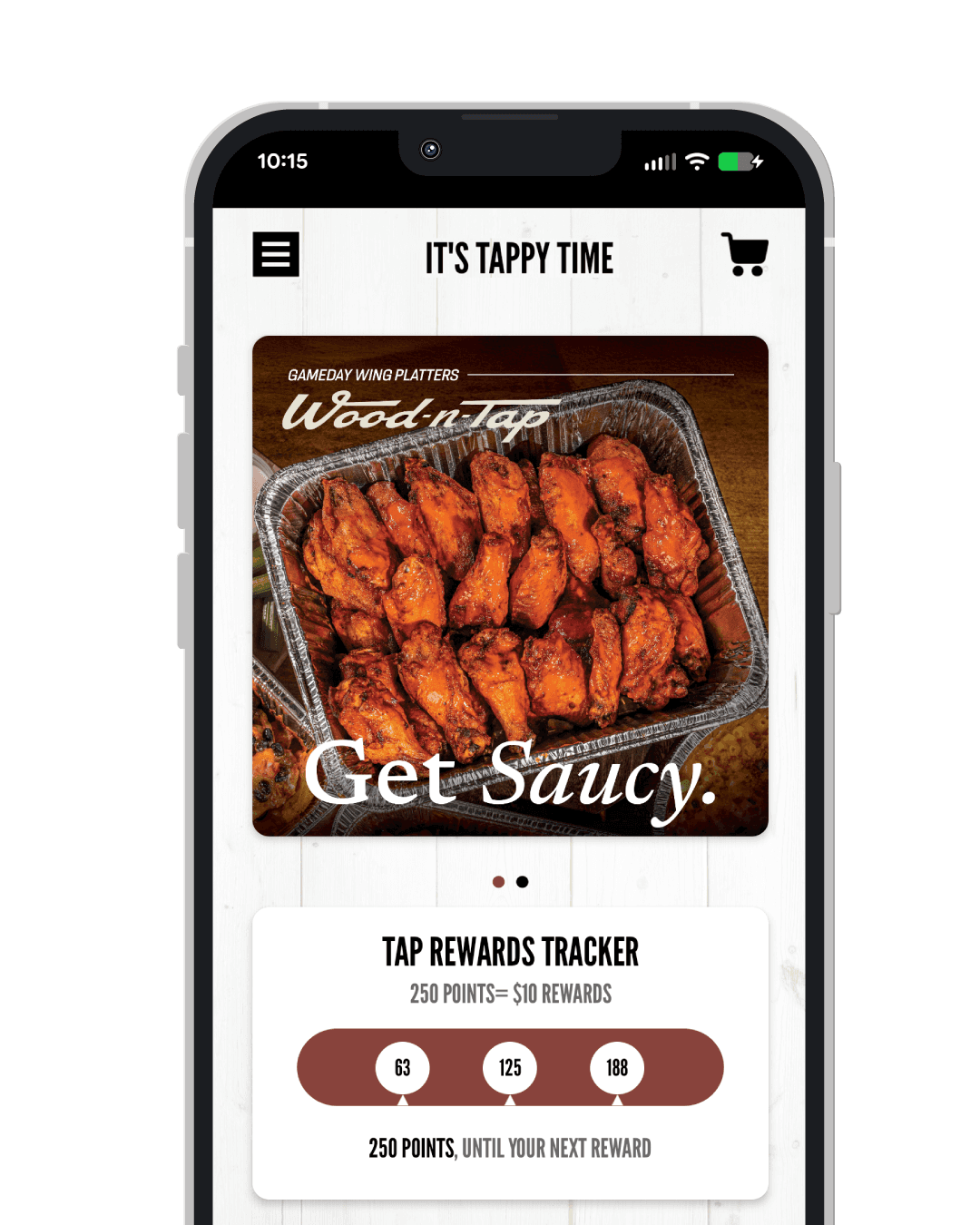
How the Tap Rewards Program works
Every dollar spent at Wood-n-Tap earns you points toward meaningful rewards. The more you visit, the more you gain.
FAQ’s
Find answers to the most common questions about our restaurant
How do I sign up?
Download the Wood-n-Tap App for the best experience, or Sign Up for Tap Rewards online. During your visit, simply provide your phone number to a team member to attach your Tap Rewards account to your check and redeem rewards.
What are the perks for downloading the Tap App?
The Wood-n-Tap App puts everything Tap right at your fingertips. Order online, earn points, track rewards, and unlock exclusive app-only offers—all in one place. Whether you’re grabbing takeout, reviewing past orders, or planning your next visit, the app makes every Tap experience smoother, faster, and more rewarding.
How do I use my rewards and do they expire?
During your visit, a team member will attach your Tap Rewards account to your check using your phone number. If you have rewards available, you can choose to redeem them or save them for a future visit.
$10 rewards can be accumulated for up to 12 months. Points and rewards do expire—log in to your Tap Rewards account to view expiration dates.
How do I change my email or phone number?
Login to your Tap Rewards account to update your profile. You will be able to update your name, zip code, phone number, e-mail and favorite location.
I’m getting an error that my Email Address Already Exists, what should I do?
If your email address was in our loyalty database between March 2010 and June 2024, we migrated your loyalty account into the new Tap Rewards platform. All you have to do is Reset Your Password using the same email address and Login to your account.
If you’re still having trouble accessing your account go to Tap Rewards Support and allow 48 hours for someone from our team to assist you.
Can I earn points if I order online or through the Tap App?
Yes! When you order through the Tap App, points are automatically earned—no extra steps required.
If you’re ordering through woodntap.com, you’ll need to sign in to your Tap Rewards account:
Mobile: Open the menu (☰) in the upper left and select Sign In
Desktop: Click “Sign In” in the upper right corner
What’s the difference between a Point and a Reward?
1 Point = $1 spent on food and beverage (pre-tax)
Every 250 points = a $10 reward
Points are earned on the subtotal of your check before tax.
How does the Free Birthday Appetizer work?
A Free Appetizer is loaded to your account on the first day of your birthday month and is valid through the last day of the month. Log in to your Tap Rewards account during your birthday month to view your reward and expiration date—then stop in and celebrate!
How do I add a past visit to my Tap Rewards account?
If we missed a visit, head to Tap Rewards Support and upload a copy of your receipt so we can take a look.
What if I need more help?
Having trouble with your Tap Rewards account or an older Tap Card from before June 12, 2024? We’ve got you covered. If your question isn’t answered here, head to Tap Rewards Support and allow up to 48 hours for our team to follow up.
Still scratching your head?
Contact our Tap Rewards Support Team and we’ll help get things tap-n again.